In a previous post I created a LaTeX template to keep track of my preferred configuration for typesetting notes and reports. I still use LaTeX a lot, but I’ve been getting interested in Typst , a modern document typesetting system that could be a viable replacement. Typst fixes a lot of issues that made LaTeX annoying to use:
- LaTeX installations are huge, 3.5 – 5 GB.
- Compilation of large documents is slow. My PhD thesis took around 5 minutes to compile from scratch.
- Error messages are cryptic.
- The syntax of LaTeX macros is arcane.
In order to learn how Typst works, I tried to re-create my LaTeX document template. I also experimented with a few new features.
These are the basic verbs of Typst:
setallows you to globally define the options for an existing element.letis for defining new elements.showallows you to customise an existing element.
I will go through the template line by line:
Firstly import external packages. * means import all functions from these packages. Compared to LaTeX, I need far fewer packages to create a nice looking document.
#import "@preview/booktabs:0.0.4": *  // booktabs style tables
#import "@preview/zero:0.6.0": *  // similar to siunitx
Define options for the template, which can be set in the document which calls the template.
// mynotes.typ
#let project(
    title: "",
    authors: (),
    line_numbers: false,
    draft_mode: false,
    anonymous: false,
    spacing: "normal",

    body) = {
Basic document settings, including the title, authors, page geometry and fonts. 2.54 cm margins matches the default for Microsoft Word documents. Pages are numbered, with numbers at the bottom of the page in the centre. The font is “CMU Serif”, which was designed by Donald Knuth for TeX.
  // Set document metadata
  set document(title: title, author: authors)

  // Page geometry
  set page(
    paper: "a4",
    margin: (
      top: 2.54cm,
      bottom: 2.54cm,
      left: 2.54cm,
      right: 2.54cm
    ),
    numbering: "1",
    number-align: center,
  )

  // Font
  set text(
    font: "CMU Serif",
    size: 11pt,
    lang: "en",
    region: "gb"
  )
Adjust paragraph and heading spacing. Colour hyperlinks. Bump the bibliography to a new page.
  // Heading numbering
  set heading(
    numbering: "1."
  )

  // Paragraph spacing
  set par(
    spacing: 0.55cm
  )

  // Heading spacing
  show heading: set block(
      above: 1.5em,
      below: 1.0em
    )

  // Heading text size
  show heading: set text(size: 1.1em)

  // Hyperlink colour
  show link: set text(fill: rgb("#336666"))

  // Bibliography on a new page
  show bibliography: it => {
    pagebreak()
    it
  }
Define a toggle for line numbering. If the option “line_numbers: true” when the template is called, the document will have line numbers.
  // Line number toggle
  show: it => {
    if line_numbers {
      set par.line(numbering: "1")
      it
    } else {
      it
    }
  }
This is one of the new features, a toggle which adds a “DRAFT” watermark across the page.
  // Draft mode toggle
  show: it => {
    if draft_mode {
      set page(background: rotate(45deg, text(80pt, fill: rgb("EEEEEE"))[DRAFT]))
      it
    } else {
      it
    }
  }
Another new feature to toggle the spacing of the document. Useful if I want to print and annotate a draft.
  // Spacing toggle
  show: it => {
    if spacing == "compact" {
      set par(leading: 0.5em, justify: true)
      set page(margin: 1.5cm)
      it
    } else if spacing == "wide" {
      set par(leading: 1.5em)
      it
    } else {
      it
    }
  }
Another new feature to anonymise the authors by replacing the names with a black bar.
  // Control for potentially multiple authors
  let authors = if type(authors) == str { (authors,) } else { authors }

  // Anonymous author names toggle
  show: it => {
    if anonymous {
      for author in authors {
        show author: name => box(fill: black, radius: 1pt, hide(name))
      }
      it
    } else { it }
  }

  // Title and author formatting
  align(center)[
    #block(text(size: 2em, weight: "bold")[#title])

    #text(size: 1em)[
      #{
        let names = authors.join(", ", last: ", and ")
        if anonymous {
          // Optional redaction of author names
          box(fill: black, radius: 1pt, hide(names))
        } else {
          names
        }
      }
    ]
    #v(1em)
  ]
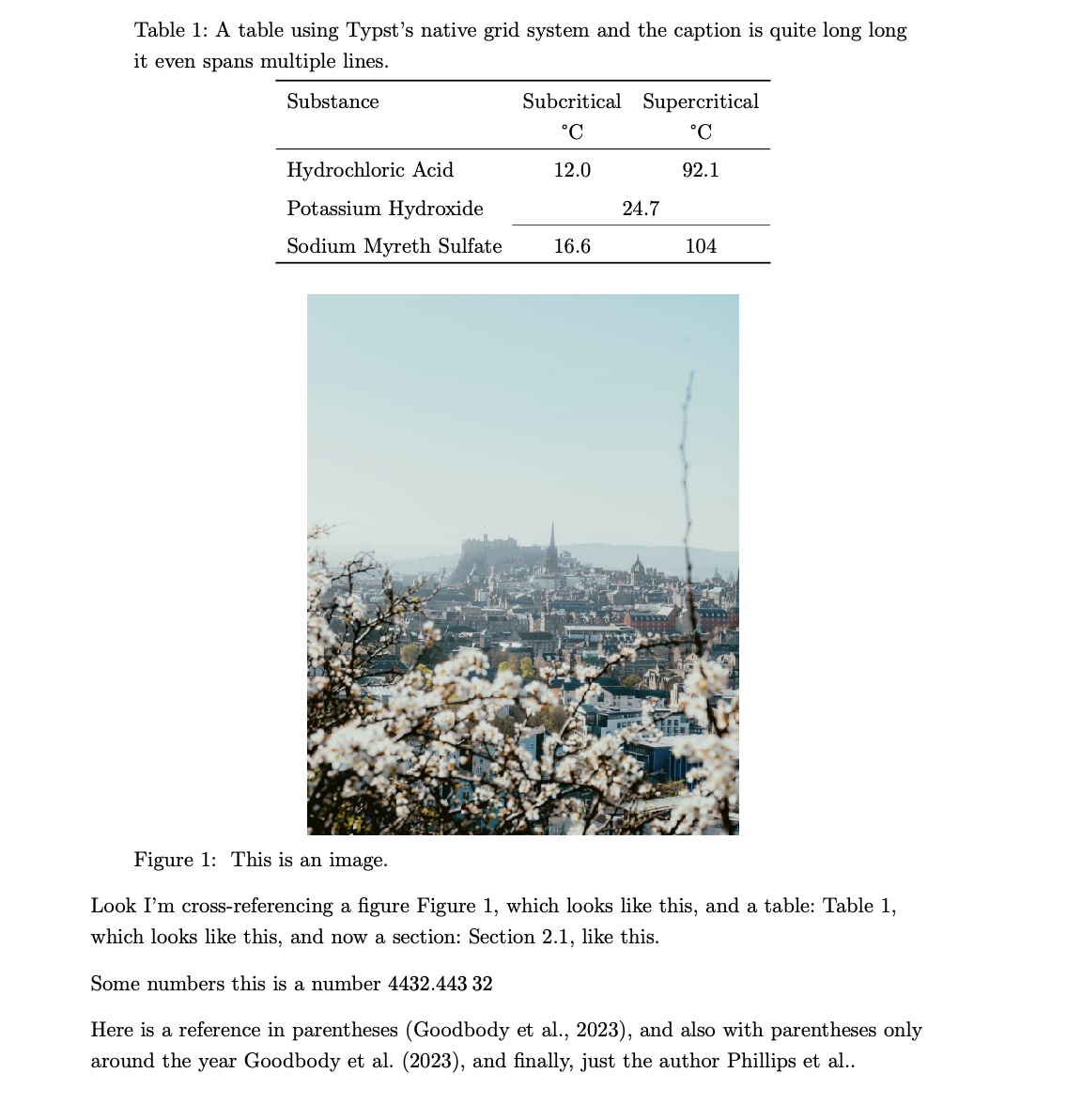
Set the style for tables and figures.
  // Reset table style
  set table(
    stroke: none,
    gutter: 0pt,
    inset: 0.5em,
  )

  // Use booktabs default style
  show table: it => {
    booktabs-default-table-style(it)
  }

  // Move table captions above, but keep image captions below
  show figure.where(kind: table): set figure.caption(position: top)

  // Left-align figure captions
  show figure.caption: it => {
    block(width: 90%, align(left)[
      #it
    ])
  }

  // Add space between the caption and the table
  show figure.where(kind: table): set block(spacing: 1.5em)

  // Render content
  body
}
Define a new variable to highlight TODO items in red with a pale red background and prefixed with “TODO:”.
// Define todo function
#let todo(body) = {
  highlight(fill: red.lighten(80%))[
    #text(fill: red.darken(20%), weight: "bold")[TODO:] #body
  ]
}
Configure the zero package, which formats numbers.
// Configure {zero}
#set-group(
  size: 3,
  separator: ",",
  threshold: (integer: 4, fractional: calc.inf),
)
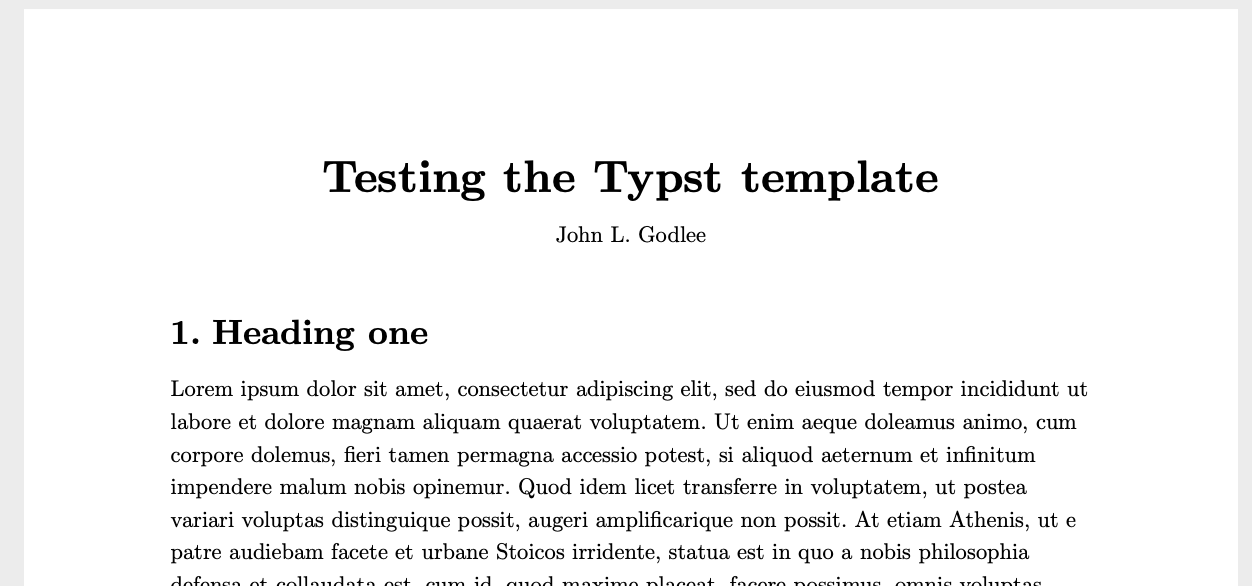
Then in the main document I can do this to call the template if the template is in the project directory:
#import "mynotes.typ": *

#show: project.with(
  title: "Testing the Typst template",
  authors: ("John L. Godlee"),
  line_numbers: false,
  draft_mode: false,
  anonymous: false,
  spacing: "normal",
)
I can also put the template here to call it from anywhere:
Library/Application Support/typst/
└── packages
    └── local
        └── mynotes
            └── 0.1.0
                ├── mynotes.typ
                └── typst.toml
The typst.toml looks like this:
[package]
name = "mynotes"
version = "0.1.0"
entrypoint = "mynotes.typ"
Then I can call it in a document like so:
#import "@local/mynotes:0.1.0": *

#show: project.with(
  title: "Testing the Typst template",
  authors: ("John L. Godlee"),
  line_numbers: false,
  draft_mode: false,
  anonymous: false,
  spacing: "normal",
)
To streamline the editing process I am using the chomosuke/typst-preview.nvim neovim plugin, which lets you compile Typst documents inside neovim, and provides a live preview of the document in a web browser. It relies on the tinymist LSP. This is the config I’m using with Lazy.nvim:
-- Typst
return { "chomosuke/typst-preview.nvim",
	ft = "typst", -- Only load when opening Typst files
	version = "1.*",

	build = function()
		require("typst-preview").update()
	end,

	config = function()
		require("typst-preview").setup({
			debug = false,
			render_on_save = false,
			follow_cursor = true,
			invert_colors = "auto",
		})
	end,
}